Authentication
Test and live API keys, scopes and good practice.
Every request carries an API key in the Authorization header:
curl https://www.getbeel.com/api/v1/me \
  -H "Authorization: Bearer gb_test_..."
Test and live keys
| Prefix | Mode | What happens when you send |
|---|---|---|
gb_test_ | Test | The send goes to the sandbox: no invoice reaches SDI |
gb_live_ | Live | The invoice is transmitted to SDI and is legally issued |
The endpoints are the same. Build and test with a test key and switch to a live key in production only. Reads (GET) return your account's data in both modes.
Creating and managing keys
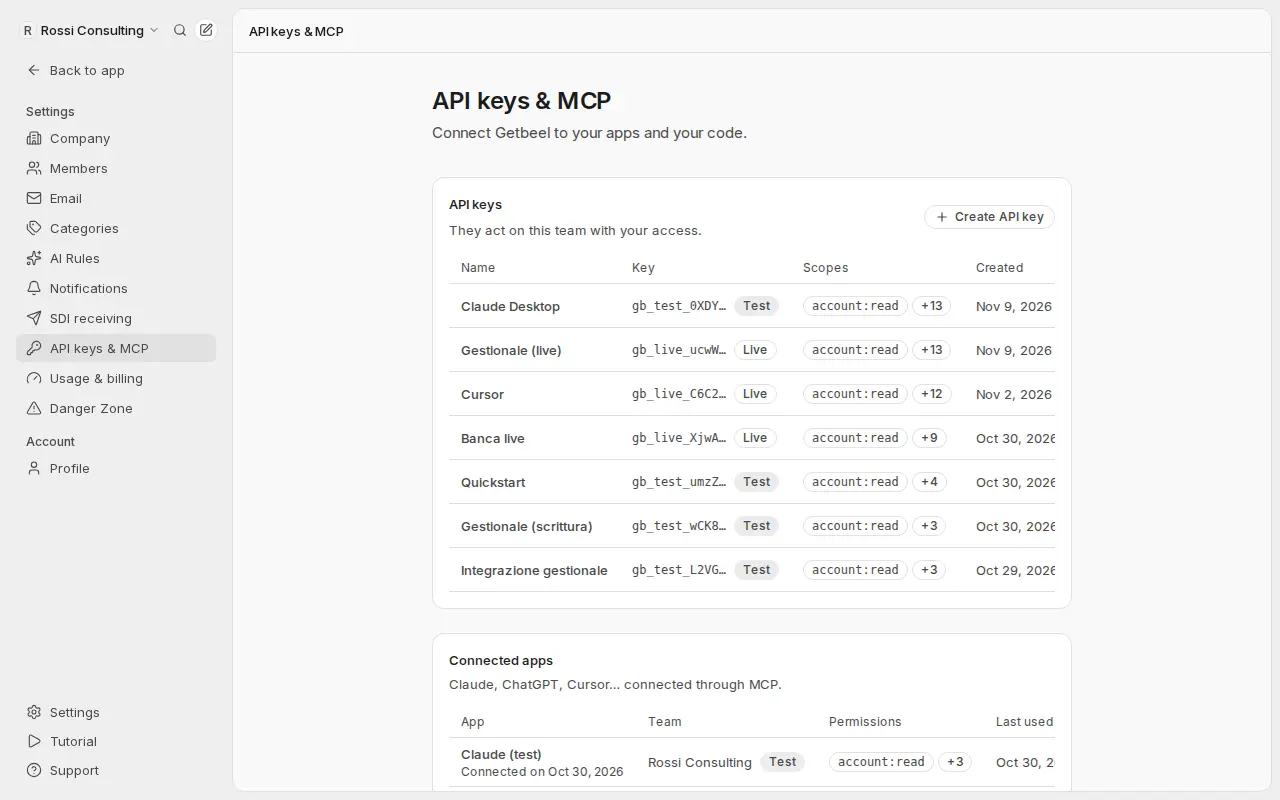
Create keys in Settings → API keys & MCP in the app.
- The key is shown once. Getbeel keeps only a hash and the prefix (e.g.
gb_live_a1B2), which you see in the list. - You can set an expiry date and revoke a key at any time.
- A key belongs to one team and acts as the member who created it: it only sees that team's data.
- If the member leaves the team, their keys are revoked. If they lose the permission to manage settings (for example they become an auditor), their keys are suspended.
Scopes
When you create a key you choose what it can do. A request to an endpoint outside the key's scopes gets 403 insufficient_scope.
| Scope | Allows |
|---|---|
account:read | GET /me, MCP tool whoami |
invoices:read | GET /invoices, GET /invoices/{id}, tools list_invoices, get_invoice |
received_invoices:read | GET /received-invoices, tool list_received_invoices |
invoices:validate | POST /invoices/validate, tool validate_invoice |
invoices:write | POST /invoices, POST /invoices/{id}/send, create_invoice_draft and send_invoice tools |
received_invoices:write | POST /received-invoices/{id}/approve and /reject, tool approve_collected_document (live keys) |
bank:read | Bank statements, transactions, reconciliations, matches, unmatched lists |
bank:write | Upload statements, run reconciliations, approve, reject and link matches (live keys) |
connections:read | GET /connections, GET /forwarding-address, tool list_connections |
connections:write | Connect mailboxes and Stripe, scan mailboxes, sync Stripe (live keys) |
taxes:read | Tax calendar, prepared filings, VAT position estimate |
taxes:write | Prepare a filing (F24) and upload its receipt (live keys) |
advisors:read | GET /advisors, tool list_advisors |
advisors:write | Invite or remove a commercialista with read-only access: POST /advisors, DELETE /advisors/{id} (live keys) |
drive:read | Folders, files and download links: GET /drive, GET /drive/files/{id}/download, tools list_drive, get_drive_file. Invoice files also need received_invoices:read, bank statements bank:read |
drive:write | Create a folder: POST /drive/folders, tool create_drive_folder (live keys) |
billing:write | Create an "Add credits" link for a person to pay (POST /billing/topups, tool create_billing_topup) and a "Change card" link (POST /billing/payment-method, tool create_billing_card_link) (live keys; never ticked by default) |
Endpoints that create and send invoices need the invoices:write scope. New keys have every scope selected by default except advisors:write, which gives a person lasting access to the company's data; untick what an integration doesn't need. Scopes can't be edited later: create a new key instead.
Give each integration only the scopes it needs: a read-only key cannot send invoices.
Authentication errors
All with status 401 and type: "authentication_error":
code | Meaning |
|---|---|
missing_api_key | The Authorization: Bearer … header is missing |
invalid_api_key | The key does not exist or is mistyped |
api_key_revoked | The key was revoked |
api_key_expired | The key has expired |
api_key_suspended | Whoever created it can no longer manage keys |
Good practice
- Keep the key on your server, in an environment variable such as
GETBEEL_API_KEY. Never in code, in a browser or in a mobile app. - Use one key per integration, so you can revoke one without stopping the others.
- If a key ends up in a repository or a log, revoke it and create a new one.
MCP clients: no key needed
Claude, ChatGPT and Cursor connect to the MCP server by signing in (OAuth 2.1). The connection gets a team, a mode and scopes like a key, and is listed under Settings → API keys & MCP → Connected apps.