Invoice numbering
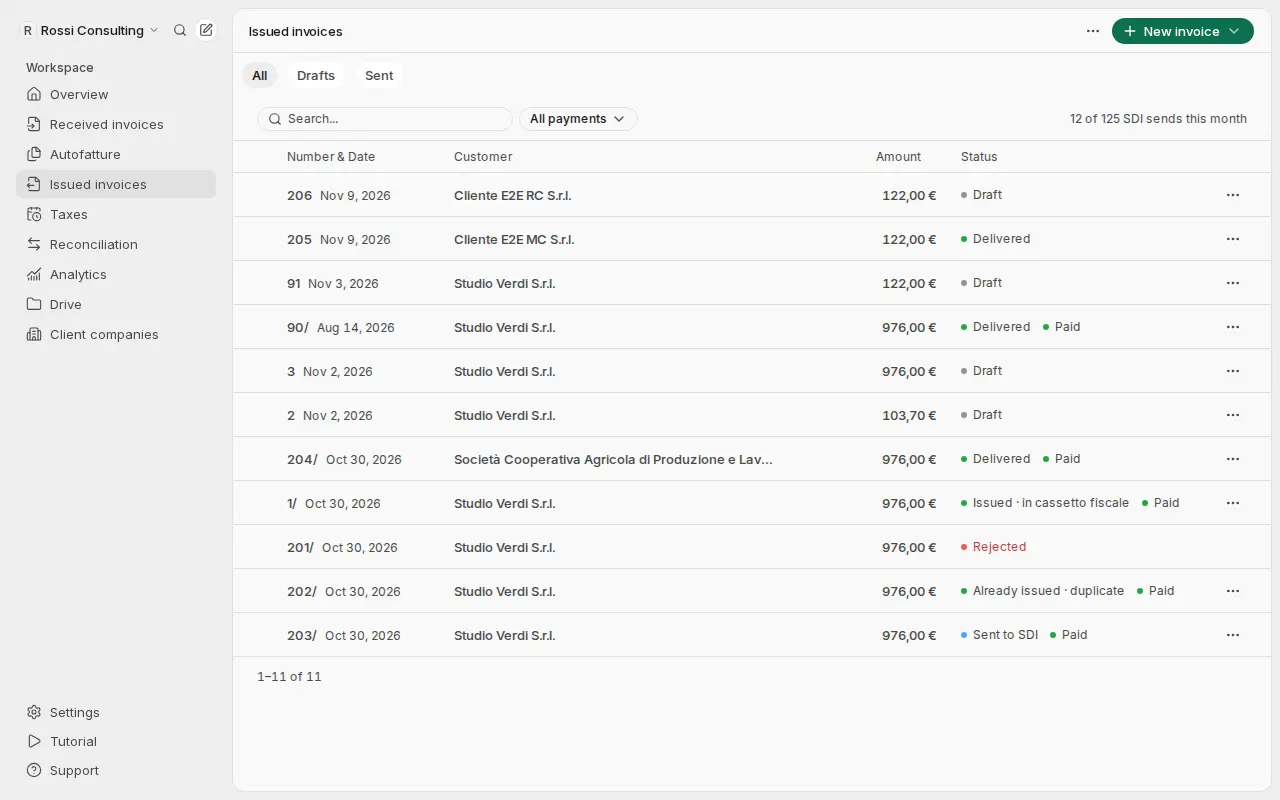
How Getbeel numbers issued invoices: 1, 2, 3… restarting at 1 every year, as the Agenzia delle Entrate allows.
Every invoice has a progressive number that identifies it uniquely (art. 21, paragraph 2, letter b, DPR 633/1972). Getbeel assigns it for you and writes it in the FatturaPA Numero field.
The rule in short
| Standard numbering | |
|---|---|
| Format | 1, 2, 3… with the invoice date alongside |
| 1 January | Restarts at 1, unless you choose otherwise |
| Number typed by hand | Can be the next one or fill a gap, never jump ahead |
| What goes to SDI | Exactly the number you see in Getbeel, with no year or other text |
| SDI limits | At most 20 characters, at least one digit (error 00425) |
Restart at 1 every year
The first invoice of 2027 is number 1. The number follows the date: an invoice dated 2027 takes the next 2027 number.
This is allowed. The Agenzia delle Entrate's Risoluzione n. 1/E of 10 January 2013 accepts "qualsiasi tipologia di numerazione progressiva che garantisca l'identificazione univoca della fattura, se del caso, anche mediante riferimento alla data" (any progressive numbering that identifies the invoice uniquely, where needed by reference to its date). It also accepts a single sequence across years, and formats such as 1/2013 or 2013/1.
SDI spots a duplicate invoice (error 00404) by seller, year of the date and number. Invoice 1 of 2026 and invoice 1 of 2027 are not duplicates. Source: FatturaPA technical specifications, Allegato A, version 1.9.1.
Continue the numbering across years
For a single sequence that never restarts, open Issued invoices. In the More actions menu choose Quotes, then the Numbering tab. On the Standard row, turn off the switch in the Restarts every year column.
You can change it at any time. Each new number is higher than the last one of the same year, so the numbering stays progressive and without duplicates.
Invoices issued before November 2026
Until November 2026 the Standard numbering added a trailing slash, for example 45/. Those invoices stay as they are: that is the number already sent to SDI. The next invoice continues the same sequence without the slash.
| Date | Number |
|---|---|
| 28 October 2026 (already issued) | 45/ |
| 20 November 2026 | 46 |
| 10 January 2027 | 1 |
Sezionali (separate series)
A sezionale (separate series) keeps some invoices apart, for example online sales. It has a prefix or a suffix (FT-12, 12/A) and its own sequence. The prefix and suffix are part of the number sent to SDI.
To create one, open the Numbering tab and press New series. Choose a Prefix or Suffix, whether it should Restart from 1 every year, and whether to use it for new invoices or for credit notes.
The prefix, suffix and yearly restart cannot change after the first invoice. To change them, create a new series.
If it fails
| Message | Cause | Fix |
|---|---|---|
| "This invoice number is already used." | The number already exists in that year | Leave the number empty: Getbeel assigns the next one |
| "A series with this prefix and suffix already exists." | An identical series already exists | Use that one, or change the prefix or suffix |
| "Prefix and suffix: up to 10 letters, digits or / _ . -, and different from the Standard numbering (add e.g. /A)." | The format is not allowed | Correct the prefix or suffix |
| "Invoices already use this series: prefix, suffix and yearly restart can no longer change. Create a new series." | The series is already in use | Press New series |
Related
Codice destinatario
What the codice destinatario is, how to register it with the Agenzia delle Entrate, and what changes with Getbeel.
Free conservazione by the Agenzia delle Entrate
E-invoices must be preserved to legal standards. The Agenzia delle Entrate offers a free service: here is how to switch it on.