Bank reconciliation
Upload a bank statement or connect your bank: Getbeel matches each payment to the supplier invoice and you confirm.
Reconciliation matches each payment out of your account to the supplier invoice behind it. Getbeel suggests the matches; you confirm the right ones and flag what is missing.
At a glance
| What | How it works |
|---|---|
| Where transactions come from | From a statement you upload, or from your connected bank every 6 hours |
| What gets matched | Only payments out, to received invoices |
| Who decides | You: confirm, reject or link by hand |
| When it is finished | When you choose Complete reconciliation |
Where transactions come from
You have two ways in, and you can use both.
- Upload a statement. CSV, PDF, Excel, text or a CBI, CAMT.053 or MT940 bank file, up to 50 MB. See Statement upload.
- Connect your bank. Transactions arrive on their own every 6 hours. Getbeel creates one statement per account and per month. See Connect your bank.
How Getbeel matches
For each payment out, Getbeel looks for a received invoice with the same amount, a close date and the same supplier. Each invoice goes with one transaction only. Money coming in is not matched.
The exact rules are in AI transaction matching.
The status of each transaction
Every statement row has a status. The status tells you the next action.
| Status | What it means | What you do |
|---|---|---|
| To confirm | Getbeel found an invoice | Confirm match or Not this invoice |
| Reconciled | The match is confirmed | Nothing |
| Missing invoice | A payment out with no invoice | Add invoice, or No invoice needed |
| No invoice needed | You marked that no invoice is needed (e.g. bank fees) | Nothing |
| Rejected | The match was rejected | Link the right invoice |
How to work through these statuses is explained in Review workflow.
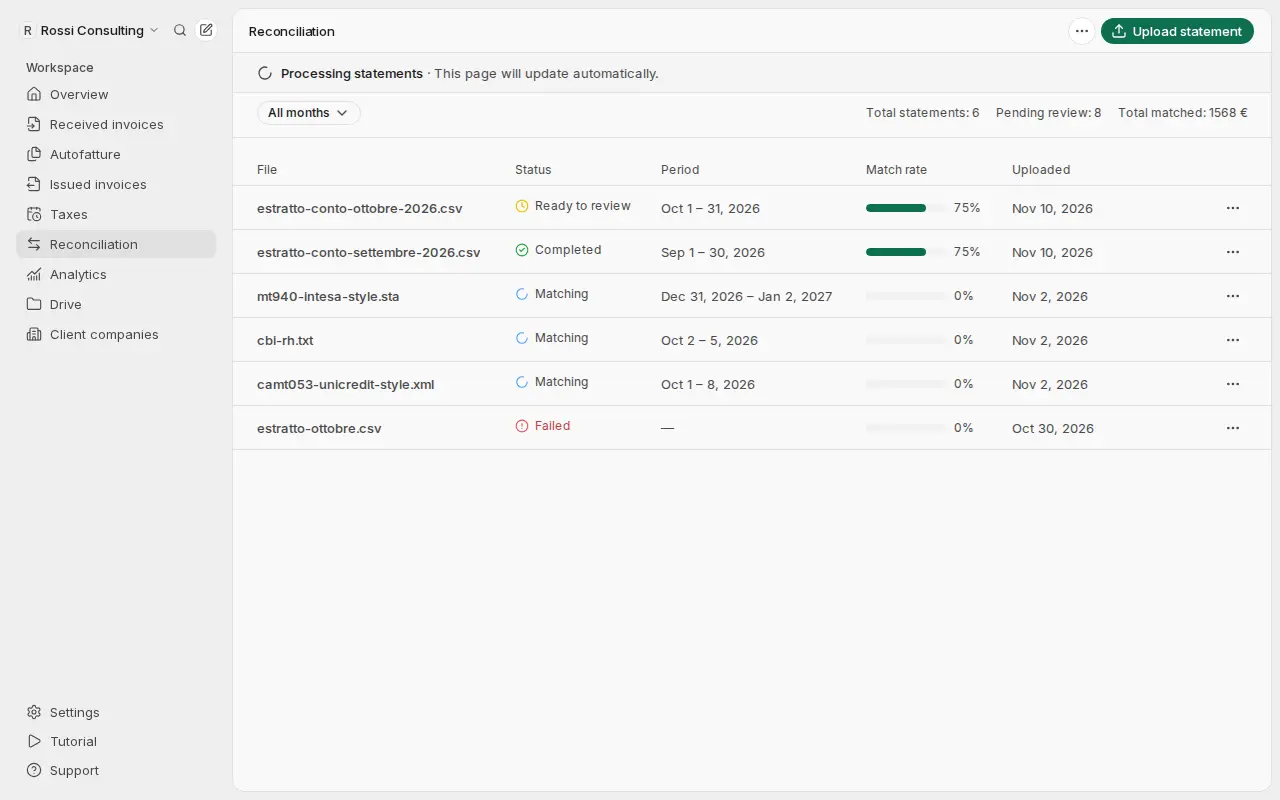
The status of a statement
| Status | What it means |
|---|---|
| Pending | The file is uploaded and about to be read |
| Processing | Getbeel is reading the transactions in the file |
| Matching | Getbeel is looking for the invoice of each payment out |
| Ready to review | The matches are ready for you |
| Completed | You completed the reconciliation: it can no longer change |
| Failed | The file could not be read: use Retry |
The page refreshes on its own while a statement is processing.
The Reconciliation page
The list shows each statement with File, Status, Period, Transactions, Match rate and Uploaded. Filter by month with All months.
At the top you see your Total statements, how many are Pending review and the Total matched. From the More actions menu (⋯) open Connect your bank.
Who can do what
- Owner and Member upload statements, connect the bank and review matches.
- Accountant sees statements and matches and exports them, but changes nothing.
From the API and the AI assistant
The same operations are available through the API and the MCP tools: upload_bank_statement, list_bank_statements, get_bank_statement, get_reconciliation, list_unmatched, approve_match, match_manually and start_reconciliation.