Getting started
Getting started
What Getbeel does and where to begin: company details, mailboxes, bank and your first e-invoice.
Getbeel collects your suppliers' invoices, issues your e-invoices and matches them to your bank movements. This section takes you from sign-up to your first invoice sent to SDI.
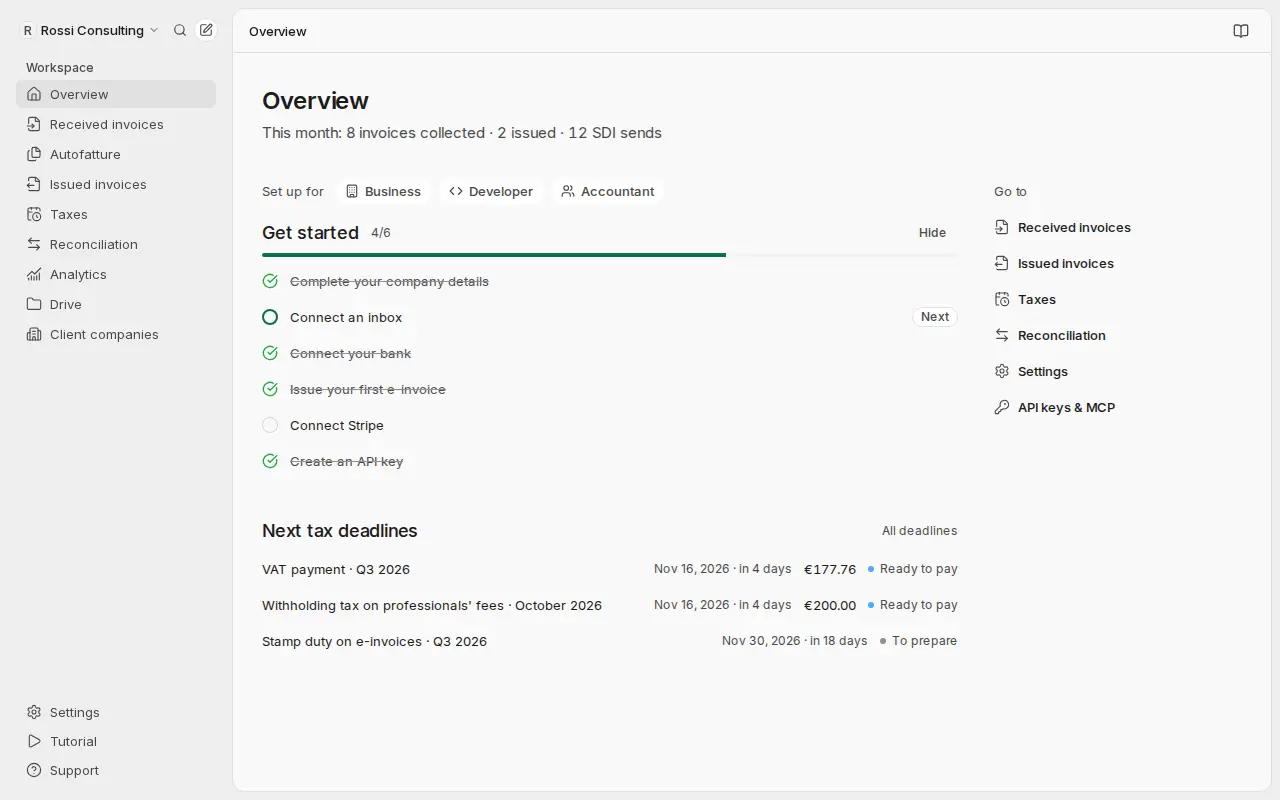
Where to begin
After you sign up, open Overview. The Get started list shows the steps left, in the right order. The quick start explains them one by one.
What you find in the app
Each item is a page in the sidebar.
- Received invoices. Supplier invoices from mailboxes, forwarding, uploads and SDI. The AI reads and classifies them.
- Autofatture. Purchases from foreign suppliers become autofatture (self-invoices) to send to SDI. Italian companies only.
- Issued invoices. You create e-invoices (FatturaPA), send them to SDI and follow the outcome. Italian companies only.
- Taxes. Deadlines, VAT registers, liquidazioni IVA (VAT settlements) and F24 forms prepared from your invoices. Italian companies only.
- Reconciliation. Bank movements, from a bank statement or your connected bank, matched to invoices.
- Analytics. The bank movements from Reconciliation by period: monthly spend, cash-based profit and loss, and suppliers. See Spending analytics.
- Drive. Invoices, bank files and shared documents, in folders.
- Client companies. For accountants: each client company has its own data and invoices, from a single account.
In Settings you find company details, members, mailboxes, categories, AI rules and billing.
Before you start
- Roles. Invite your team or your accountant as Owner, Member or Accountant (read-only).
- Cost. Scans use invoice credits; SDI sends and receipts have a price list (Pricing).